

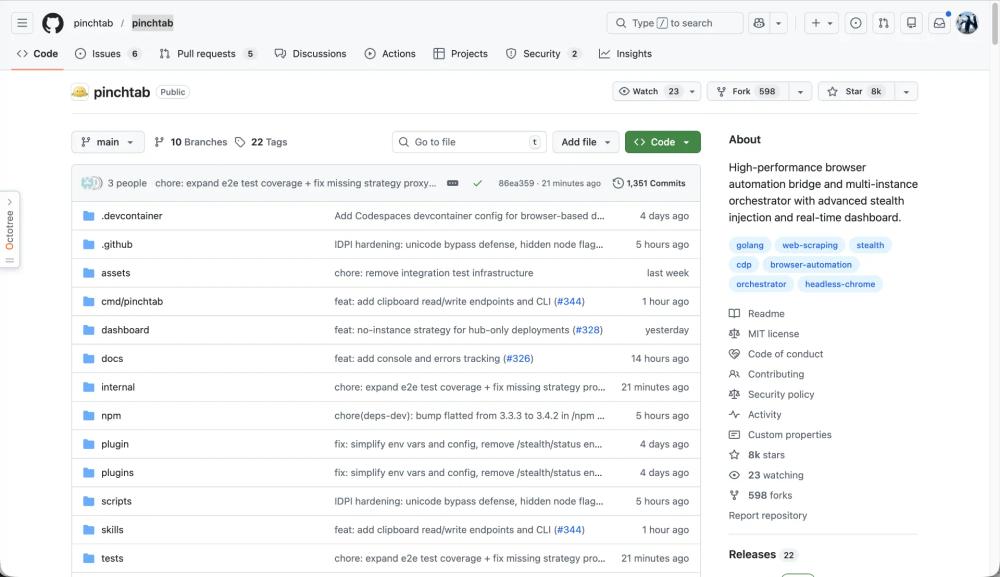
Here is the metadata and a detailed breakdown of PinchTab based on the repository content:
What is PinchTab?
PinchTab is a standalone HTTP server designed to give AI agents direct, programmable control over Chrome. It acts as a control plane that manages browser instances (headless or headed) and profiles, allowing tools to interact with the web through a lightweight API rather than managing complex browser drivers manually.
Key Features
- Token Efficiency: Optimized for AI agents, using text extraction that consumes only ~800 tokens per page (5-13x cheaper than using screenshots).
- Stealth & Security: Includes "Advanced Stealth Injection" and a "local-first" security posture (IDPI) that restricts browsing to a local allowlist by default.
- Multi-Instance Orchestration: Supports running multiple parallel Chrome processes with isolated persistent profiles (cookies, sessions, etc.).
- Self-Contained: A tiny ~15MB Go binary with no external dependencies, making it easy to deploy.
- Model Context Protocol (MCP) Integration: Features an SMCP plugin that exposes 15 specific tools for AI agents to navigate, snap, and act on web elements.
Use Cases
- AI Agent Automation: Empowering agents to "Log into a work profile and download reports" or "Extract news summaries" without high token costs.
- Distributed Web Scraping: Managing multiple browser instances across containers or remote machines for high-volume data extraction.
- QA & Testing: Automated testing in sandboxed environments (Docker support) or headed modes for visual debugging.
- Persistent Sessions: Logging into websites once and staying logged in across multiple automation runs via local profile management.
Frequently Asked Questions (FAQ)
- How do I install it? You can use a one-line script:
curl -fsSL https://pinchtab.com/install.sh | bashor install via Homebrew/NPM. - Is it secure? Yes, it binds to
127.0.0.1by default and uses IDPI to prevent agents from accessing the public internet unless explicitly configured. - Does it support Docker? Yes, there is a Docker image available for local container isolation.
- What is the "Bridge" vs "Server"? The Server is the main control plane/orchestrator, while the Bridge is the lightweight runtime that manages a single specific browser instance.


