Example
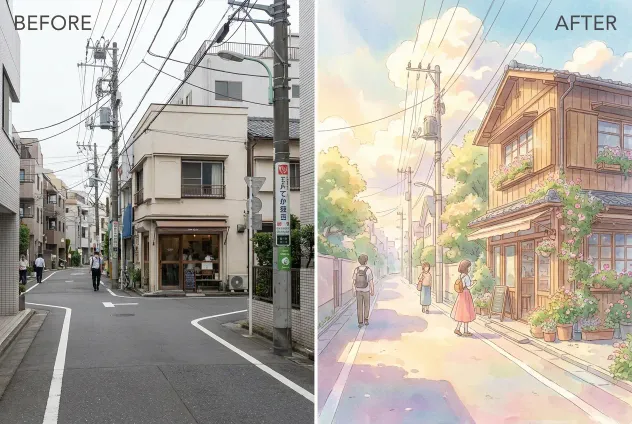
ghibli ai image generator
Create Ghibli-inspired illustrations from images or text prompts. Use AI to transform everyday photos or ideas into soft, storybook-style visuals inspired by classic animated aesthetics.
How It Works
Upload an image or enter a short text description that defines the subject and scene you want to transform.
The AI processes the input and produces an illustrated image with soft colors and hand-drawn textures.
Review the result, then download the image or adjust the input to generate a new variation.
What can ghibli ai image generator do for you?
Turn personal moments into storybook scenes
A travel blogger uploads a casual photo from a small town street, hoping to share a more emotional version of the memory. The original image feels flat and ordinary. After using the generator, the scene becomes a warm, illustrated moment with soft skies, gentle shadows, and painterly details. The transformed image feels like a frame from an animated story, helping the blogger convey atmosphere and emotion instead of just documenting a place.
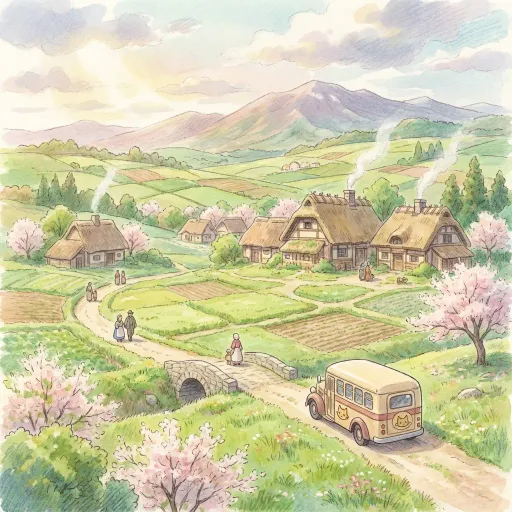
Visualize ideas without drawing skills
An indie game designer has a concept for a peaceful village but lacks illustration skills. By entering a short description, the generator creates a Ghibli-inspired environment with calm colors and detailed backgrounds. The image helps the designer communicate mood and visual direction to collaborators. Instead of abstract explanations, the team can align around a concrete visual reference that captures the intended feeling.
Create consistent visuals for content and teams
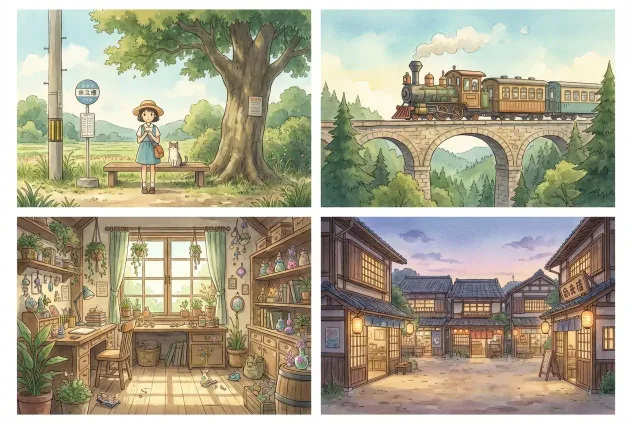
A small creative team needs consistent visuals for presentations and social posts. By using the same style settings, they convert multiple images into a unified Ghibli-inspired look. This consistency makes their materials feel cohesive and intentional. The result is a recognizable visual tone that supports storytelling without requiring custom illustration work for every asset.
Why Choose BananaKit?
Style-focused output
The generator is tuned for Ghibli-inspired aesthetics, prioritizing soft color transitions and illustrated textures rather than generic filters.
Low learning curve
The workflow is simple enough for first-time users while still allowing prompt adjustments for more controlled results.
Privacy-conscious processing
Uploaded images are processed for generation only and are not used to train public models or reused for unrelated purposes.